Thursday, June 30, 2011

Educational Video Final

This video was made in iMovie using a video camera and a firewire cord. In reflection I would have to say that this project was one of the most frustrating endeavors I have ever put my hand to. I give a lot of credit to Common Craft as this video was extremely difficult to put together. Next time I will leave it up to the experts. I just that doing a video like this has a lot of merit and my students could use it in class. I was thinking about making the topic a lot more specific, though. Doing such a broad topic would not be as achievable for my students and the frustration and amount of time it would take for students to be able to use the technology would be extravagant. Instead, maybe they could do movies about solving one problem each with visuals and then share that with the class.

My intended audience would be Geometry or Algebra II students that have just started the curriculum (it could also be applied to Algebra I students that are about to complete the Algebra I course). The idea is it would be used as a quick review tool for linear equations.

The prerequisite skills would be the ability to see and listen to a video that would be accessible on the desktop of a class computer. They would need to be able to understand a two variable equation at the most basic level so being able to understand that an equation consists of an input and output. Basic arithmetic would also be needed. These should all be skills well within their capacity as they are taking a class that requires them to have this knowledge already.

This video is about linear equations, how to do them and some examples that relate to real life.

The goal was that they would be reviewed enough to remember information they should already know and be able to rejoin the class in further studies.

I'm glad I did this project because it was a big learning experience and really holds up the rule or trying it yourself before having students try it.

Thursday, June 23, 2011

Google Document

Here is my google document I did with Tracy and Lydia. We wanted to use the doodle document because we had never used it before. I really liked this or an alternative way of having kids make collage projects. Internet collaborative collages. It could also be used as a way to do collaborative math. Students could "draw" a problem in doodle and then other students could slowly help each other anser it and correct each other's mistakes on a document like this.

https://docs.google.com/drawings/pub?id=17a_rN1YTruuTWvyKsq9RGSByLXcMNzbhQiL5hg_UBj8&w=960&h=720

Tuesday, June 21, 2011

Voki

This is a Voki! I think Voki's are super cool and would be awesome to connect to material on a website you are having student use. This could also be useful if you had students make historical characters or make themselves and answer questions through their voki rather than as themselves in case they get nervous about doing such things.

This is my Voki. I had a little issue since the program refused to take a recording from my computer's mic but I called in and that was VERY simple :)

Assessments

I like ipsative and peer assessment. I know these two methods are a little "outdated" but I think that peer works because students learn how important it is to get feedback from others but also learn about giving feedback. Both of which are very important.

I like Ipsative assessments because they are a challenge. When you say, you got this, do better on the next one, I want to do that. These are just things that work for me personally and won't work for all students.

I like these two over the others because I think something such as Real-world assessments is too broad and internet anonymity may make the process hard. Assessments are to get a real view of how you did and not bringing down self-esteem or boosting it without value or reason.

I find that self assessment can cause students to slack off. I think it's an important skill but when I assess myself and I have to take time on it, I say, "I did great, I could improve on X and it was fun." This is not a valid self assessment.

Assessing students using their own tools such as a cellphone sounds like a nice concept but I think that there are other ways and it feels a lot like using technology for technology's sake.

So overall, I would chose ipsative assessing with a close second to peer assessing.

Monday, June 20, 2011

Visual Tools - My iMovie

Visual tools in the classroom can be very useful. Most people like to learn things with a visual aid. It allows them options for where they can look and what they can focus on. I also like visual tools because it allows students to access that information in an entertaining way anytime, anywhere with internet access.

Visual tools can be used in the classroom in many ways, including but not limited to, explaining a topic, letting a class view a story or topic in an entertaining way, having students make their own visual media to explain a project they did and many other applications.

For our lesson we did our own personal stories. Here's my story, I hope you enjoy it.

Thursday, June 16, 2011

Wikis!

Wikis are a very interesting concept. It's kind of like blogs and google documents combined into a permanent site. I like the idea that someone can work on the wiki and then allow others to work on it and let it grow to multiple sites so information can be combined and linked together.

http://mathatazsmic.wikispaces.com/

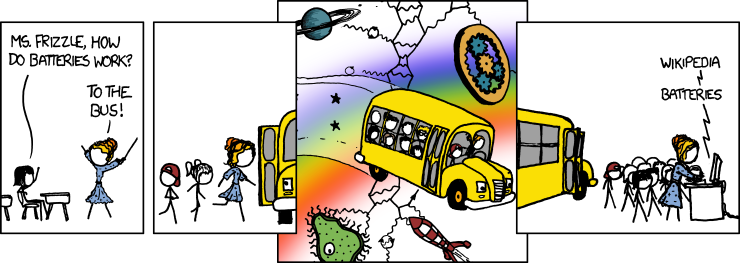
I thought this was very funny and relevant to our upcoming wiki lesson :)


Wiki-lesson comic: